NEWSLETTER
Join the Community
Subscribe for the latest IP camera reviews and recommendations

Pupsentry is a smart camera management app by Shenzhen Huashi Anbang Technology. Connect, monitor, and manage network cameras, smart doorbells, and security devices with real-time viewing, playback, cloud storage, voice intercom, and intelligent alerts.
Open the Pupsentry app and tap the '+' button on the home screen. Point your phone camera at the QR code on your camera or doorbell device. The app will detect the device and guide you through the WiFi configuration process. Make sure your phone and camera are on the same 2.4GHz WiFi network during setup.
Yes. Pupsentry offers optional cloud storage subscriptions for recorded video. Cloud storage allows you to save and review footage remotely even if the camera's local SD card is full or removed. Payment is processed through Apple Pay, Google Pay, or other supported methods depending on your platform.
Pupsentry supports smart cameras, video doorbells, smart doorbells, dash cams, and smart locks that use the Pupsentry/tange365 platform. Check the device packaging or manual for the Pupsentry logo or QR code to confirm compatibility before purchasing.
Camera offline status is typically caused by WiFi signal loss, power interruption, or router changes. Verify the camera has power and the indicator light is active. Restart both the camera and your WiFi router. If the problem continues, remove the device from the app and re-add it using the QR code method.
Yes. Pupsentry supports device sharing so family members can view cameras and receive alarm notifications. In the app, go to the device settings and select the sharing option. You can invite other users by their phone number or through a sharing link. Shared users can view live feeds and receive alerts.
Yes, Pupsentry is free to download and use for basic features including live viewing, playback from SD card, motion alerts, and two-way intercom. The app contains ads. Cloud video storage is an optional paid subscription for users who want remote video backup and extended recording history.
Night vision is typically managed automatically by the camera hardware. When the camera detects low-light conditions, it switches to infrared night vision mode. Some cameras allow you to manually toggle between day, night, and auto modes through the device settings in the Pupsentry app.
Pupsentry supports 15 languages: English, Arabic, French, German, Indonesian, Italian, Japanese, Korean, Portuguese, Russian, Simplified Chinese, Spanish, Thai, Traditional Chinese, and Vietnamese. The app language typically follows your device system language setting.
Open the camera live view in Pupsentry, then tap the playback or timeline button. If recordings are stored on a local SD card, select TF card playback and navigate the timeline to find the desired footage. For cloud recordings, select cloud playback and browse stored events by date and time.
Most cameras compatible with Pupsentry have a physical reset button, usually a small pinhole on the device body. Press and hold the reset button for 5-10 seconds until the indicator light flashes or you hear an audio prompt. After reset, the camera returns to factory defaults and can be set up again through the app.
Works well with my Pupsentry cameras. Live view loads quickly and the two-way audio is clear enough for talking to family members at home. The app interface is clean and easy to navigate. Cloud storage subscription is reasonably priced. Would love to see Apple Watch support added.
The app does what it says for basic camera monitoring. Setup through QR code was straightforward. My main complaint is that push notifications are sometimes delayed by a minute or two. Video quality during daytime is great but night vision could be sharper on my model.
I use this mainly for my video doorbell. The visitor alerts work reliably and the live preview is smooth. Device sharing with my spouse was easy to set up. The timeline playback for reviewing past events is intuitive. Good app for the price point.
Excellent app for monitoring my home cameras. I have three cameras set up and switching between them is seamless. The motion detection alerts are accurate and the cloud recording means I never miss important events. Very happy with the overall experience.
Functional camera management app. The PTZ controls are responsive and video quality is decent in HD mode. However the app size is quite large at over 300MB which seems excessive. Also wish there were more customization options for alert sensitivity.
Good camera app that connects to my devices without issues. The live streaming is stable and I appreciate the multi-language support since my parents use it in Chinese. QR code setup made adding cameras a breeze. Recommended for basic home security monitoring.
The app works fine for viewing cameras live. Playback of recorded video from the SD card is generally smooth. My only issue is that the app occasionally disconnects and I need to restart it. Basic features are solid though and it covers all my monitoring needs.
I manage four cameras and a doorbell through this app. Everything works smoothly and the notifications are timely. The two-way intercom feature is surprisingly clear. Cloud storage option gives me peace of mind. Best camera app I have used so far.
Installed this for my small business security setup. The multi-camera view is handy for monitoring different areas. Night vision quality depends on the camera but the app handles it well. App updates have been regular which shows active development.
Decent app for managing smart cameras. Setup was easy with the QR code method. The ad presence is slightly annoying but not a dealbreaker since the app is free. Live view quality is good on WiFi. Would give more stars if the app were smaller in size.
Pupsentry is a mobile application developed by Shenzhen Huashi Anbang Technology Development Co., Ltd. for managing smart security cameras, video doorbells, and related IoT devices. Available on both iOS and Android platforms, the app serves as the primary control interface for Pupsentry-compatible hardware.
The app enables users to monitor properties in real time through live HD video streaming, review recorded footage via cloud storage or local SD card playback, and communicate through cameras using two-way voice intercom.
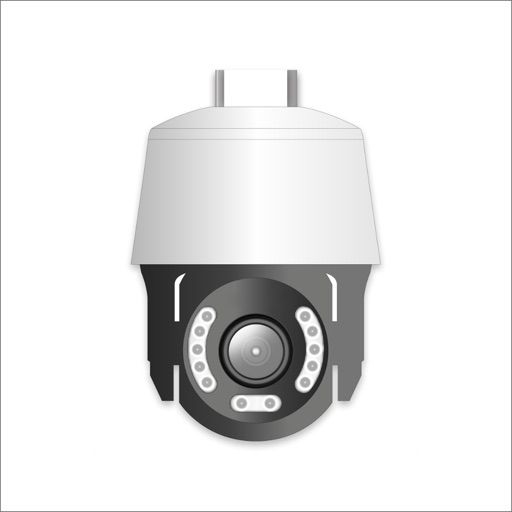
Pupsentry supports a range of security devices including indoor and outdoor cameras, PTZ cameras, video doorbells, dash cams, and smart locks.
Key capabilities include intelligent motion detection with push notifications, sound event alarms, device sharing for family members, and QR code-based device pairing. The app provides PTZ remote control for compatible cameras. Cloud video storage is available as an optional subscription.
Pupsentry supports 15 languages and is designed for a global user base. The app is free to download with optional cloud storage subscriptions. The platform holds ISO 27001 certification with data encryption in transit.
Whether monitoring a home entrance with a video doorbell, keeping an eye on indoor spaces with PTZ cameras, or managing multiple security devices across locations, Pupsentry provides a centralized mobile management solution.